
Summary
Editor's rating
Value: cheaper than a real simulator, better than a toy, with some trade-offs
Design: compact stick, smart sensor, and some app quirks
Battery life and connectivity: mostly hassle-free, with the usual Bluetooth quirks
Durability: feels sturdy, but the weak link is the software, not the hardware
Performance: strong full-swing tracking, messy short game
What you actually get in the box (and what you don’t)
Pros
- Compact swing stick and small sensor make it easy to use in tight indoor spaces
- Full-swing tracking is reasonably accurate and consistent for the price
- Access to many courses and training modes, with fun multiplayer and online events
Cons
- Putting and chipping accuracy are weak and not very realistic
- App interface and setup are a bit clunky, with some minor Bluetooth and UI annoyances
- Requires extra subscriptions and possibly extra hardware (casting/HDMI) for the best experience

Specifications
View full product page →| Brand | PHIGOLF |
A golf fix when you can’t get to the course
I picked up the PHIGOLF Home Golf Game Simulator mainly because I was tired of losing my swing between rounds, especially when the weather is bad or I just don’t have time to hit the range. I wasn’t expecting a full-blown Trackman experience in my living room, but I wanted something that felt close enough to real golf that practice wouldn’t be a waste of time. After a few weeks of use, I’d say it lands somewhere between a serious training tool and a fun family toy.
Setup is more annoying than hard. You need to download the app, pair the small sensor via Bluetooth, decide if you’re using the included swing stick or your own clubs, and then usually figure out how to get the screen onto your TV (casting, HDMI adapter, Firestick, whatever). If you’re used to tech, it’s fine. If not, expect 30–45 minutes of fiddling the first time. Once it’s dialed in, launching a session is much faster.
My first impression during the driving range sessions was that the swing tracking is surprisingly decent for the price. Distances are close to what I hit on the course, the club path feedback looks believable, and mishits actually show up as mishits. It’s not perfect, but it’s good enough that you can work on tempo and path without feeling like you’re just waving a toy around. Where it starts to struggle is the short game, especially putting, which feels more like guessing than precision.
So overall, this thing sits in a weird but useful middle ground: it’s not a pro simulator, but it’s way more serious than a random Wii-style golf game. If you go in expecting realistic full-swing practice and casual on-screen golf with friends, you’ll probably be happy. If you expect dead-accurate putting and full golf-nerd data like spin rates, you’re going to be let down. I’ll break it down section by section so you can see where it shines and where it’s just “meh but workable.”
Value: cheaper than a real simulator, better than a toy, with some trade-offs
On the value for money front, PHIGOLF sits in a nice middle zone. It’s nowhere near the price of serious launch monitors or full simulator setups, but it also does more than those cheap plastic swing gadgets that just beep when you swing. For the price, you get decent full-swing tracking, access to a ton of virtual courses (38,000+ through various platforms), and enough training modes to keep you busy through an off-season or a stretch of bad weather.
However, you need to be aware of the extra and hidden costs. If you want the best experience, you’ll probably end up paying for at least one subscription (WGT is small but still a monthly cost). You might also need a casting device or HDMI adapter to get the picture on your TV if you don’t already have that gear. Then there’s the time cost: the setup and learning curve are not zero. If you’re the type who gets annoyed setting up electronics, that’s something to factor in.
Compared to some competitors like Tittle X or Trugolf’s home swing studio (based on user reviews and my own research), PHIGOLF seems to offer better graphics and smoother performance on mobile devices, plus a nicer swing stick design and quieter feedback. The main trade-off is that the short game is still rough and the apps aren’t super polished. If you care mainly about full-swing practice and casual virtual rounds, I’d say it’s pretty solid value. If your priority is ultra-accurate putting and chipping simulation, you’re better off saving for something more advanced or just accepting that this is more for fun than for short-game grinding.
In the end, I’d call the value good but not perfect. It’s a smart buy for golfers who want to swing more often at home without spending thousands, especially if you’re okay with tech and don’t mind a bit of app clunkiness. For pure entertainment with family and friends, it easily justifies the price. For super serious training across all parts of the game, it’s more of a budget-friendly compromise than a full solution.
Design: compact stick, smart sensor, and some app quirks
Design-wise, PHIGOLF clearly aims for small, portable, and apartment-friendly. The swing stick is short, metal, and weighted to roughly feel like a club, just trimmed down. That 27.6-inch length is actually a good compromise: you can swing reasonably naturally without needing a full bay, and it still has enough heft to not feel like a toy plastic wand. The grip is replaceable, which is a nice touch because cheap rubber grips tend to wear quickly with repeated use.
The little sensor is the star of the show. It’s light, charges through USB-C, and snaps into the end of the stick or into your own clubs. When you swing, you get a double click feedback when contact is registered and when the swing finishes. That sound feedback is surprisingly useful: it helps you time your swing and also tells you the system actually read your shot. It’s also quieter than some competing products, which matters if you’re swinging early morning or late at night and don’t want to wake the whole house.
Where the design stumbles a bit is on the software side. The PHIGOLF app works, but it doesn’t feel super polished. Menus can be a bit clunky, changing clubs requires more taps than it should, and there are small annoyances like having to constantly hit “continue” between shots or holes in certain modes. On Apple TV, some users mention the app doesn’t yet fully use the full screen, so you might get sidebars when casting. It’s not a deal-breaker, but it does feel like the hardware is slightly ahead of the software in terms of refinement.
Overall, the physical design is pretty solid: portable, easy to throw in a suitcase, and safe for small spaces. The sensor feels like the kind of thing you’ll forget is there once you start playing. The weak point is the UI/UX in the apps, which is usable but a bit dated and sometimes tedious. If you’re patient with menus and don’t mind tapping through screens, you’ll be fine. If you crave super smooth, console-level polish, you’ll notice the rough edges.
Battery life and connectivity: mostly hassle-free, with the usual Bluetooth quirks
The sensor runs on a small internal battery and charges via USB-C, which is already a plus because you don’t need some weird proprietary cable. The brand doesn’t scream exact battery numbers everywhere, but in practice I could get several sessions of 1–2 hours before needing a recharge. So if you’re using it casually a few evenings a week, you’re not going to be plugged in all the time. I tend to just top it up every few sessions and haven’t run it flat in the middle of a round yet.
Charging is straightforward: plug it in, leave it for a while, and you’re good. No dock, no stand, just a cable. The sensor is so light that it’s not awkward to handle even with the cable attached. If you’re the kind of person who forgets to charge gadgets, the good news is the low power draw means it doesn’t die quickly in standby. I left it unused for a few days and it still had enough juice to run a quick session without complaint.
On the connectivity side, it uses Bluetooth to pair with your phone or tablet. Most of the time, pairing is painless: open the app, turn on the sensor, wait a few seconds, done. Occasionally, like with any Bluetooth gadget, it’ll fail to connect on the first try and you have to toggle Bluetooth off/on or restart the app. It’s mildly annoying but nothing unusual if you already live with wireless headphones, speakers, etc.
Once connected, the link stays pretty stable. I didn’t have major lag or random disconnects mid-swing. The only time I noticed issues was when my phone was low on battery or I was switching between casting methods (e.g., from direct app on TV to AirPlay). As long as your phone or tablet is reasonably close and not buried behind the TV, the sensor-to-device connection is reliable enough for normal play. So overall, battery and connectivity are not the sexy part of the product, but they don’t get in the way either, which is all I really ask.

Durability: feels sturdy, but the weak link is the software, not the hardware
From a physical standpoint, the PHIGOLF setup feels sturdy enough for regular home use. The swing stick is metal (aluminum/steel mix), with a bit of weight to it, and doesn’t feel like it’s going to snap if you put a normal swing on it. I wouldn’t go full rage-mode and slam it into the floor or a wall, but for standard swings in a living room, it holds up fine. The grip is okay out of the box and, as mentioned, replaceable if it wears out or you want something closer to your real clubs.
The sensor itself is small but doesn’t feel fragile. It’s the kind of thing you’d still want to treat with basic care—don’t drop it on tile a dozen times—but it’s not some flimsy plastic toy either. The USB-C port is standard, so if something ever goes wrong with the included cable, you can use any other cable you have lying around. That’s a relief, because proprietary charging solutions are usually where long-term durability goes to die.
Where durability gets a bit more abstract is on the software and ecosystem side. The hardware can last years, but if the apps don’t get maintained or if compatibility with new phone OS versions breaks, the value drops fast. Right now, PHIGOLF seems to still be updating things (for example, they’ve talked about Apple TV app updates and they run online tournaments). That’s a good sign, but you’re still betting on them keeping the app up to date. If you’re planning to use this for several seasons, that’s something to keep in mind.
Another point: if you choose to stick the sensor on your real clubs and hit real balls outside, your risk goes up. One bad shank into a hard surface or a club drop on concrete could be the end of the sensor. I personally prefer using the swing stick indoors and keeping the sensor away from real-ball impact zones. In short, the physical build is fine for home use, but like most tech products, the real long-term question is how long the software stays supported and compatible with your devices.
Performance: strong full-swing tracking, messy short game
This is the part that actually matters: does it feel like your real swing, and can you trust the numbers? For full swings with irons and woods, I’d say yes, within reason. When I compared my usual driver and 7-iron distances to the PHIGOLF results, they were close enough that I didn’t feel cheated. Some other users reported it being slightly long or short compared to real life, but not by a crazy amount. You can still work on tempo, face angle, and path and see meaningful feedback.
On the range, I tried intentionally hitting toe shots, heel shots, and big slices. The system picked up most of that: if I came over the top, ball flight went left (for a right-hander) like you’d expect; if I left the face open, I saw that weak right shot. That lines up with what a few Amazon reviewers said about accuracy being surprisingly good for a home setup in this price range. You can also dig into swing analysis in the app, which gives you path, speed, and some basic metrics. It’s not high-end launch monitor data, but it’s more than just a random ball flight guess.
Where things fall apart is chipping and especially putting. Chipping feels inconsistent: sometimes a soft swing flies too far, sometimes it dies short. It’s usable for casual play, but I wouldn’t practice delicate 20–30 yard shots expecting the system to mirror reality. Putting is worse. Several users mention it, and I agree: distance control feels random at times. Light tap goes too far, slightly harder tap barely moves, then suddenly it’s fine again. On both the PHIGOLF app and WGT, this is the weakest part. For me, putting on this system is more of a mini-game than actual putting practice.
There’s also the occasional false shot registration. Every now and then, while you’re just setting up, the system thinks you swung. It doesn’t happen a lot (maybe 1–3% of the time like one reviewer said), but when it does, it’s annoying—especially with no easy mulligan button in some modes. It doesn’t break the product, but it does remind you you’re working with consumer-level motion tracking, not pro gear.
So in short: full-swing performance is pretty solid for the money, and that’s the main reason to buy this. If your primary goal is grinding approach shots and putting with high precision, this is not the tool. Treat it as a tempo and ball-flight trainer plus a fun virtual golf game, not a full replacement for real short-game practice.

What you actually get in the box (and what you don’t)
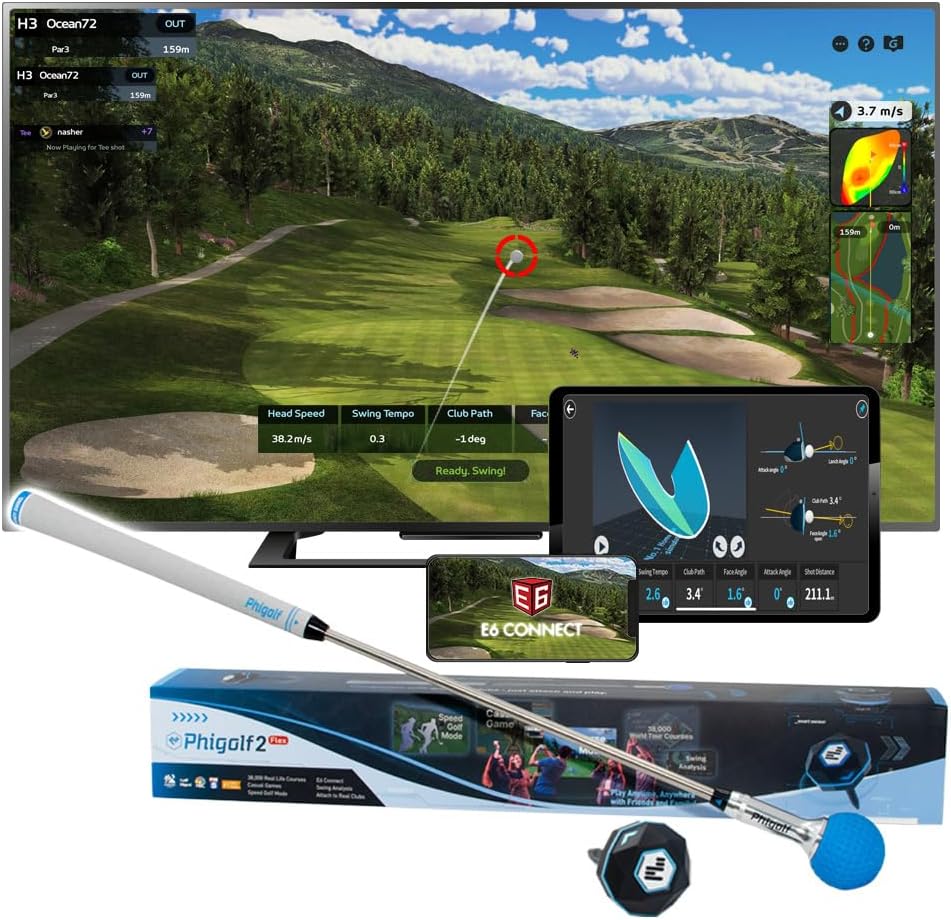
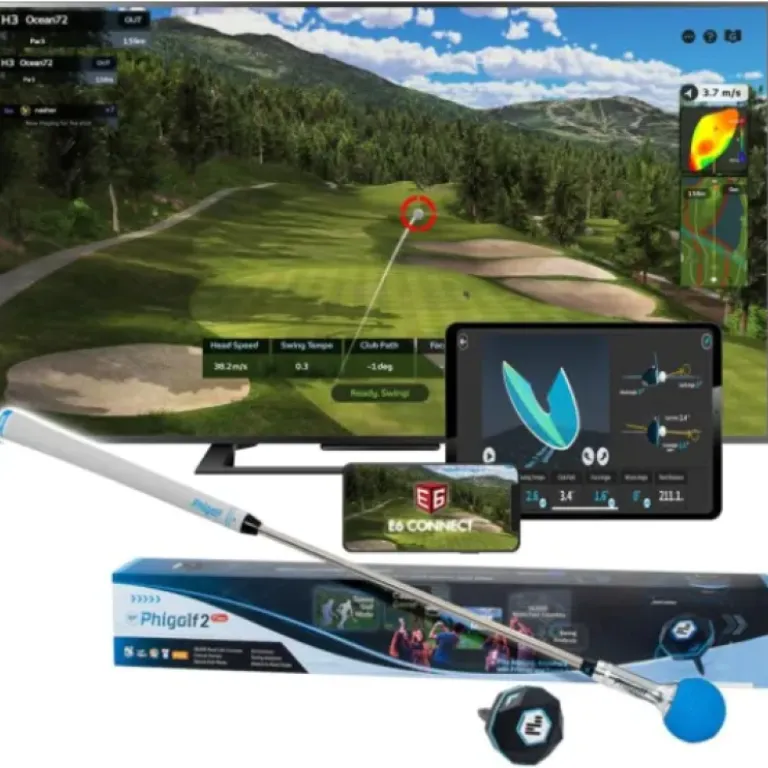
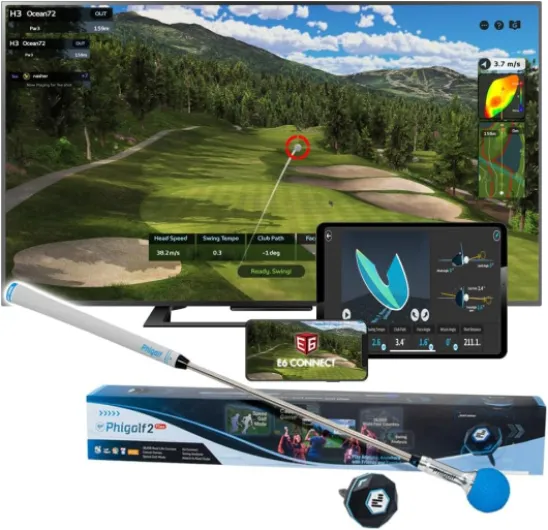
Out of the box, the PHIGOLF setup is pretty simple: you get the swing stick, the motion sensor, a charging cable, a wrist strap, and a small manual. That’s it. No net, no tripod, no TV adapter, nothing fancy. The sensor is tiny (around 10g), USB-C rechargeable, and it snaps onto the end of the swing stick or into your own clubs. The swing stick is about 27.6 inches, roughly half a normal club, so you can swing it in a small room without putting a hole in the ceiling, assuming you’re not going full John Daly.
What the product page doesn’t always make super clear is that the real brains are in the apps and subscriptions. Out of the box, you can use the PHIGOLF app with several built-in courses, driving ranges, and training modes. Then you’ve got optional extras like WGT and E6 Connect. WGT is pretty cheap (around a couple of bucks a month), and honestly it adds a lot of variety. E6 can look a bit dated on some devices, and that lines up with what other users say. So yes, the hardware is a one-time purchase, but if you want the full experience, expect small ongoing costs.
The other thing to understand: this is not plug-and-play like a console. You need a compatible phone or tablet (Android or iOS), a stable Bluetooth connection, and ideally a way to throw the image to your TV. No HDMI adapter or casting stick is included, so if you don’t already own one, add that to the cost. And if you’re not tech-comfortable, you might need to watch the tutorial videos or poke around the app for a bit before it feels natural.
In practice, once everything is set up, the presentation is decent: course graphics are fine, the menus are a bit clunky but you get used to them, and the game modes are varied enough to keep both golfers and non-golfers entertained for a while. You just need to know it’s a sensor + software ecosystem, not an all-in-one “plug into TV and go” machine. If you’re expecting a console-like box with HDMI out, you’ll be confused; if you’re fine living in an app-based world, it makes sense.
Pros
- Compact swing stick and small sensor make it easy to use in tight indoor spaces
- Full-swing tracking is reasonably accurate and consistent for the price
- Access to many courses and training modes, with fun multiplayer and online events
Cons
- Putting and chipping accuracy are weak and not very realistic
- App interface and setup are a bit clunky, with some minor Bluetooth and UI annoyances
- Requires extra subscriptions and possibly extra hardware (casting/HDMI) for the best experience
Conclusion
Editor's rating
PHIGOLF’s Home Golf Game Simulator is a solid middle-ground option for people who want to keep their swing alive at home without turning a room into a full simulator bay. The hardware is compact, the swing stick feels decent, and the sensor does a good job tracking full swings. If your main goal is to work on tempo, path, and basic ball flight while also having some fun playing famous courses on your TV, it gets the job done pretty well for the price.
Where it clearly falls short is on the short game and polish. Chipping is hit-or-miss, putting is often frustrating, and the app interface could be smoother. You’ll also deal with a bit of Bluetooth quirkiness and some extra subscription or accessory costs if you want the full experience. It’s not junk, but it’s also not a pro-level training tool. Think of it as a decent practice aid plus a golf video game you control with your real swing.
I’d recommend this to: golfers with limited space, people who want to practice full swings in winter or after work, and families who like the idea of a golf night on the TV. If you’re obsessed with accurate putting stats, hate fiddling with apps, or want launch monitor-level data, you’ll probably end up disappointed and should save for something more advanced. For most casual to regular golfers, though, it’s good value and genuinely useful, as long as you go in with realistic expectations.